
Name in the ASDDO List? How to Check It in Karnataka and Fix a Wrong Entry
Learn what ASDDO means, how to check the list online, and the exact step-by-step process, documents, and forms to correct an erroneous entry before draft roll.
Name in the ASDDO List? How to Check It in Karnataka and Fix a Wrong Entry
Quick answer: The ASDDO list is a Special Intensive Revision (SIR) flag, not a deletion order. It marks electors whose records could not be verified at the registered address as Absent, Shifted, Duplicate, Dead or Other. If your name appears there wrongly, you can have it corrected by confirming your residence and submitting the enumeration form to your Booth Level Officer (BLO) before the draft roll is finalised. Checking and correcting your status through the official portals is free.
What does ASDDO mean?
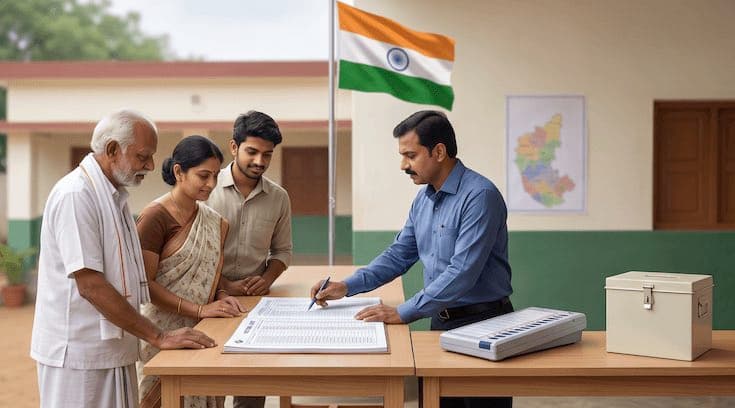
During the Special Intensive Revision (SIR) of Karnataka's electoral roll, Booth Level Officers carry out house-to-house verification of every registered elector. Where an elector cannot be confirmed at the address on record, the record is placed under a holding classification called ASDDO. Each letter stands for a reason the record still needs checking:
- A — Absent: the voter was not available at the registered address during verification.
- S — Shifted: the voter appears to have moved away from the registered address.
- D — Duplicate: more than one record seems to exist for the same person.
- D — Dead: the voter has been reported as deceased.
- O — Others: any other case that requires further verification.
The single most important thing to understand is this: being in the ASDDO list does not automatically remove your name from the electoral roll. It simply means your record is parked for verification before the draft roll is prepared. Genuine voters who confirm they still live at their registered address can have their records retained.
Why does this matter so much right now? Because a very large share of Karnataka's electorate has been flagged. Of roughly 5.54 crore registered voters, well over a crore were placed in the ASDDO category during the current revision. A flag on that scale means a lot of perfectly genuine voters are caught in it purely because a BLO could not find them at home on the day, or because of an old address or a spelling mismatch — not because anything is actually wrong with their entitlement to vote.
Why might a genuine voter get flagged?
Most erroneous ASDDO entries come from very ordinary situations rather than any real problem:
- You were at work, travelling or simply out when the BLO visited — so you were marked Absent.
- You live in a large apartment complex or gated community where the BLO could not reach every flat.
- You moved a few years ago but never updated the roll, so an old address still shows — marked Shifted.
- Your name, initials or address don't match across your Voter ID and Aadhaar, so verification stalled.
- An older duplicate entry (from a previous address or a data-entry slip) exists alongside your correct one.
- A deceased family member's record was never removed and now surfaces during verification.
High-migration urban pockets — particularly in Bengaluru — see the heaviest scrutiny on family mapping and address matching, which is exactly where these harmless mismatches pile up. The fix is almost always a short verification and a form, not a legal battle.
How to check if your name is in the Karnataka ASDDO list
You can verify your status in a few minutes, for free, from your phone or laptop:
- Open the CEO Karnataka ASDDO portal. Go to the Chief Electoral Officer, Karnataka website (ceo.karnataka.gov.in) and open the district-wise ASDDO list section published for the SIR.
- Select your district. District files are uploaded in phases. If your district is not listed yet, check again later — several districts, including parts of Bengaluru Urban, went live only after the initial launch.
- Open the district-wise list. Download or open the PDF/list for your district and Assembly constituency.
- Search for your name or EPIC. Look for your name or your EPIC number (the alphanumeric ID printed on your Voter ID card). This is the fastest and most reliable way to find your record.
- Note the category. If you find yourself, note which letter you are marked under (Absent, Shifted, Duplicate, Dead or Other). That determines which correction route applies.
You can also cross-check your overall voter status on the ECI's official voter services portal at voters.eci.gov.in — search your details, check application status and download your e-EPIC there.
Tip: Have your EPIC number ready before you start. Searching a district PDF by name alone can throw up multiple similar names; the EPIC pinpoints your exact record.
You found your name — and it's wrong. What now?
First, don't panic, and don't ignore it. An ASDDO flag is reversible while the revision is still open, but it can lead to your name being left out of the draft roll if you do nothing. The moment you confirm the entry is erroneous, treat it as a task with a deadline.
The correction is handled through the field electoral machinery — your Booth Level Officer (BLO) and, above them, the Electoral Registration Officer (ERO) for your constituency. The core of the fix is simple: prove you still live at the registered address (or, if you've genuinely moved, register correctly at the new one) and get the right form on record before the cut-off.
The full correction procedure, step by step
- Confirm the exact error. Open the district ASDDO file and confirm the category against your real situation. Are you wrongly marked Absent/Shifted when you never moved? Is a deceased relative shown as live? Do you appear twice? The category decides the route.
- Identify your BLO and ERO. Find your BLO's name and contact through the CEO Karnataka portal, the ECINET app, or by asking at your local polling booth or ward office. The BLO is your first point of contact.
- Contact your BLO and request verification. Tell the BLO your name was wrongly flagged and ask them to verify your residence. The BLO will confirm you live at the registered address, hand you the correct enumeration/correction form, and record the update after verification.
- Fill and submit the enumeration form. If your enumeration form was never submitted (a common cause of an Absent flag), fill it now — online via the ECINET app or on paper through the BLO — attaching proof of residence. If it was submitted but rejected or mismatched, re-submit it with the corrected details.
- File the appropriate correction form, if needed. Depending on the error, layer the right statutory form on top of the enumeration form: Form 6 (new/shifted registration), Form 7 (objection/deletion of a wrong or duplicate entry), or Form 8 (correction of name, date of birth, address or Aadhaar linking). See the next section.
- Submit before the enumeration window closes. Getting it in during house-to-house enumeration is the cleanest path, because the correction flows straight into the draft roll.
- If you miss enumeration, use the claims & objections window. After the draft roll is published, there is a formal claims-and-objections period. File your claim (to be included) or objection (to remove a wrong/duplicate/deceased entry) with the ERO during this window.
- Track the outcome. Keep the acknowledgement/reference number. Re-check the ASDDO list and, later, the draft and final rolls to confirm your record now reads correctly. Follow up with the ERO if it doesn't.
Documents required
Keep clear copies ready — incomplete proof is the biggest cause of delay. For a standard "I never moved, I was just marked absent/shifted" correction you'll typically need:
- EPIC / Voter ID — your existing Voter ID card or EPIC number.
- Proof of current residence — any one of: Aadhaar card, latest electricity/water/gas bill, ration card, passport, bank passbook, or a registered rent agreement showing the registered address.
- Identity proof — Aadhaar or passport, to match name and details.
- The signed enumeration form — provided by the BLO or filed on the ECINET app.
- Recent passport-size photograph — if a fresh Form 6/8 is being filed.
For specific error types, add:
- Duplicate entry: details/EPIC of both records so the wrong one can be objected to and the correct one retained.
- Deceased voter (marked live, or to be removed): the death certificate and your relationship proof, filed via Form 7.
- Name / DOB / address mismatch: the supporting document that carries the correct detail (e.g., Aadhaar, birth certificate, or a gazette/affidavit where a formal name change is involved), filed via Form 8.
Note on fees: There is no government fee to check the ASDDO list or to file enumeration/correction forms. Any charge you pay is only for optional assisted or doorstep help — never for the entitlement itself. Always confirm the current process on the official CEO Karnataka and ECI portals before acting.
Which form applies to your situation?
Choosing the right form is what makes the correction stick. Match your case:
- Enumeration form (SIR): the primary instrument during the revision. Submit or re-submit this first when you've been flagged Absent/Shifted but never actually moved.
- Form 6 — New inclusion / transfer: use this if you have genuinely shifted and need to register at your new address, or if you were dropped and need fresh inclusion. Don't cling to an old, wrong entry — register correctly once.
- Form 7 — Objection / deletion: use this to object to a wrong entry — a duplicate record, or a deceased elector who should be removed. A family member can file Form 7 for a deceased voter.
- Form 8 — Correction / shifting within constituency / Aadhaar linking: use this to fix a wrong name, date of birth, address, photo, or to link Aadhaar, when your entry otherwise stays on the same roll.
Many real cases need a combination — for example, submitting the enumeration form and a Form 8 to fix a spelling that caused the mismatch in the first place. When in doubt, the BLO or ERO will tell you which form (or forms) your case needs.
Deadlines and timeline — act early
The SIR runs on a fixed calendar, and the ASDDO correction opportunities are tied to it. The Election Commission has revised these dates more than once during this revision, so treat any date as provisional until you confirm it on the official portal. As things stood in mid-August 2026, the working schedule was:
- House-to-house enumeration / form submission: extended to around 17 August 2026.
- Draft electoral roll published: around 24 August 2026.
- Claims and objections period: roughly 24 August to 23 September 2026.
- Final electoral roll published: around 27 October 2026.
The practical takeaway is simple. The cleanest window is during enumeration — get your correction in before the form-submission cut-off so it flows straight into the draft roll. If you miss that, the claims and objections period after the draft is published is your second, formal chance to be included or to object to a wrong entry. Waiting until the final roll is published is too late to fix it easily. Verify the exact live dates on ceo.karnataka.gov.in or eci.gov.in before you rely on them.
How DocuPro helps — and what you can do free
To be completely upfront: everything in this guide can be done yourself, for free, through the CEO Karnataka portal, the ECINET app, voters.eci.gov.in and your BLO. If you're comfortable finding your district file, identifying the right form, gathering documents and following up with the ERO, you don't need anyone's help.
Where DocuPro adds value is doing that legwork for you when you'd rather not chase it — especially for the fiddly cases: an EPIC mismatch across Aadhaar and voter records, a duplicate you need removed without losing the correct entry, a deceased relative's record to clear, or a name/spelling correction that needs an affidavit. We check your ASDDO status, identify the exact form (enumeration form, Form 6, 7 or 8), assemble and verify your documents, file it, and track it through to the roll — across Bengaluru, Hyderabad, Delhi/NCR, Chennai, Mumbai, Noida and Gurgaon.
The government process is free; our fee is only for that assisted, doorstep handling. We don't guarantee outcomes that depend on the ERO's verification — what we guarantee is that your case is filed correctly, completely, and on time.
Flagged in the ASDDO list and not sure which form you need? Start with a free consultation and we'll tell you exactly what your case requires and by when.
Frequently Asked Questions
1. What does ASDDO stand for?
ASDDO stands for Absent, Shifted, Duplicate, Dead and Others. (Some official notes read the second D as Dead and list Duplicate separately.) It's a classification used during the Special Intensive Revision to flag electors whose records couldn't be verified at the registered address and need further checking.
2. Does being in the ASDDO list mean my name is deleted?
No. Inclusion in the ASDDO list does not automatically delete your name. It means your record is flagged for verification. If you confirm you still live at the registered address and submit the required form, your record can be retained in the draft roll.
3. How do I check if my name is in the Karnataka ASDDO list?
Open the CEO Karnataka ASDDO portal (ceo.karnataka.gov.in), select your district, open the district-wise list, and search for your name or EPIC number. District lists are uploaded in phases, so check again later if yours isn't available yet.
4. What should I do if I'm wrongly marked as Shifted or Absent?
Don't panic. Contact your Booth Level Officer (BLO) or Electoral Registration Officer (ERO) and submit or re-submit your enumeration form with proof of residence. After verification, your record can be corrected and retained.
5. Which documents do I need to correct an ASDDO entry?
Usually your EPIC (Voter ID), proof of current address (Aadhaar, utility bill, ration card, passport or bank passbook), and the signed enumeration form. For Dead or Duplicate errors you may also need supporting proof such as a death certificate, an affidavit, or the duplicate EPIC details.
6. What's the deadline to fix an ASDDO entry?
Act before the enumeration/form-submission window closes and, failing that, during the claims and objections period after the draft roll is published. The SIR dates have been revised more than once, so confirm the current deadline on the CEO Karnataka or ECI website.
7. Can I check and correct my status myself for free?
Yes. Checking the ASDDO list and filing enumeration or correction forms through the CEO Karnataka portal, the ECINET app, voters.eci.gov.in or your BLO is free. There is no official fee to stay on the roll.
8. My late relative still shows as a live voter, or I appear twice. What do I do?
Duplicate and deceased records are handled through the objection route using Form 7. A family member can file Form 7 to remove a deceased elector, and a duplicate entry can be flagged for deletion while the correct one is retained.
9. I genuinely shifted to a new address. What should I do?
If you've moved, don't try to keep the old entry. Apply fresh at your new address using Form 6 (new registration or transfer). This keeps you on exactly one correct roll instead of a wrong one.
10. How does DocuPro help with ASDDO corrections?
DocuPro checks your ASDDO status, identifies the correct form, assembles your documents, and files and tracks the correction end to end. The government process itself is free; DocuPro charges only for optional assisted, doorstep handling if you'd rather not do it yourself.
Disclaimer: This article is for general information and reflects the SIR schedule and process as understood in mid-August 2026. Electoral procedures, portal links, forms and deadlines can change. Always verify the current position on the official Chief Electoral Officer, Karnataka (ceo.karnataka.gov.in) and Election Commission of India (eci.gov.in / voters.eci.gov.in) websites before acting. DocuPro is a private assisted-service provider and is not affiliated with the Election Commission; all statutory processes are free on the official portals.